
Setup Sonix IPTV on Any Device
Unlock endless entertainment with fast installation and support. Our guides make setup quick, simple, and stress-free.
Live Setup Help ●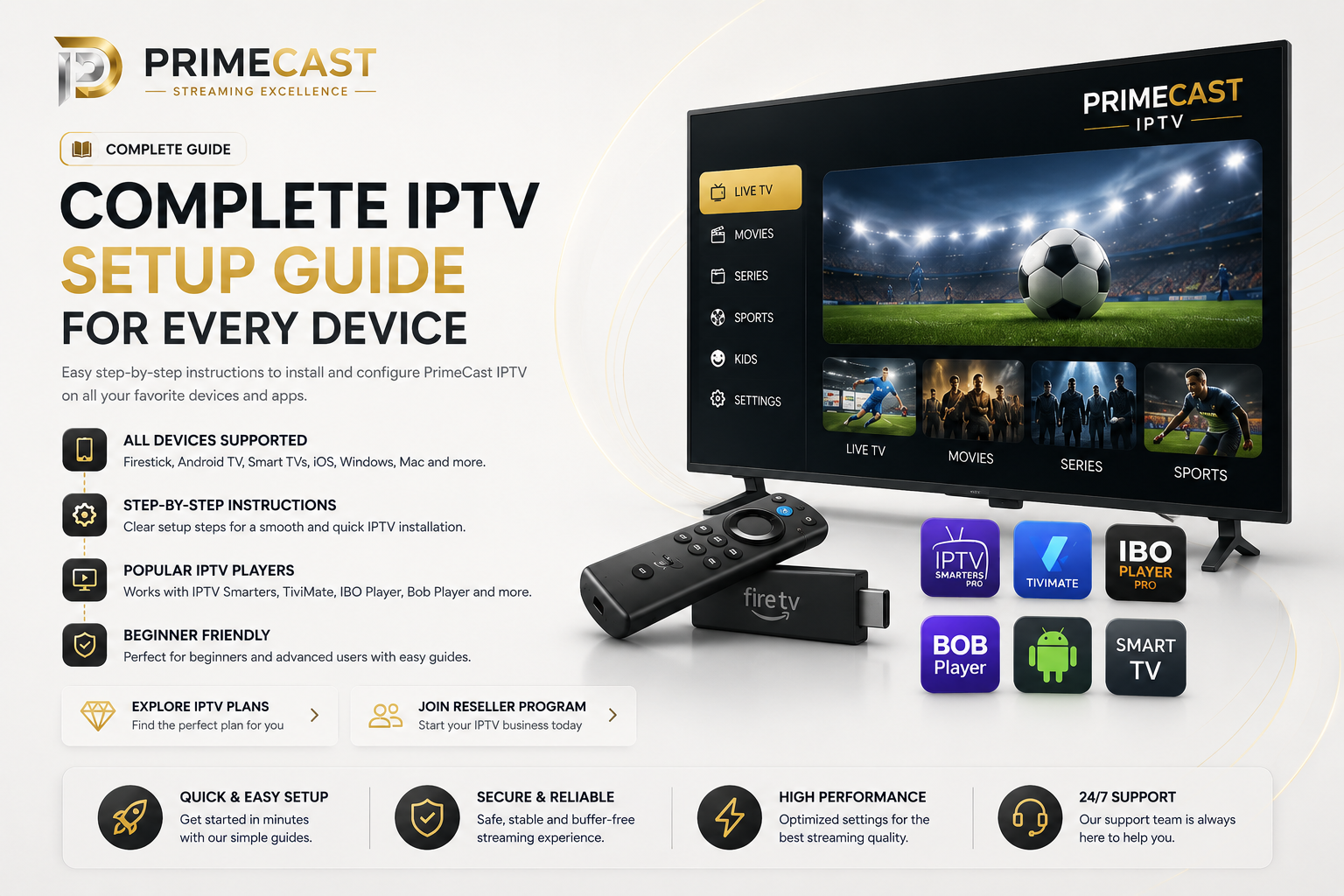
Step-by-Step Setup Guides
Select your device below and follow a simple installation guide. Start streaming Sonix IPTV in just a few minutes.
Amazon Fire TV
Install IPTV on Firestick and Fire TV devices with a beginner-friendly setup.
Android & Google TV
Setup your IPTV service on Android boxes, Google TV, and Android TV apps.
Smart TVs
Configure IPTV on Smart TVs using compatible apps and playlist formats.
Apple TV & iOS
Use Sonix IPTV on iPhone, iPad, and Apple TV with supported players.
Amazon Fire TV / Firestick Setup
- From the Firestick home screen, search for Downloader.
- Install and open the Downloader app.
- Go to Settings -> My Fire TV -> Developer Options.
- Enable Install Unknown Apps for Downloader.
- Enter the IPTV app download link provided by Sonix IPTV support.
- Install and open the IPTV app.
- Choose Xtream Codes Login or M3U Playlist.
- Enter your username, password, and server URL.
Android TV / Google TV Setup
- Open the Google Play Store.
- Search for IPTV Smarters, TiviMate, or another IPTV player.
- Install the app.
- Open the app and select your login method.
- Choose Xtream Codes API or M3U Playlist URL.
- Enter your Sonix IPTV details.
- Save the account and wait for channels to load.
Smart TV Setup
- Install a compatible IPTV player on your Smart TV, such as IBO Player Pro, Bob Player, or Net TV.
- Open the app and note the device ID, MAC address, or activation code shown on screen.
- Upload your playlist through the app portal or send the device details to Sonix IPTV support.
- Add your M3U playlist or Xtream Codes details if required.
- Restart the app after activation.
- Wait for channels and categories to load.
Apple TV & iOS Setup
- Install a compatible IPTV app from the App Store, such as GSE Smart IPTV or Smarters Player Lite.
- Open the app and choose Remote Playlist, M3U URL, or Xtream Codes API.
- Enter your Sonix IPTV login details.
- Save the playlist or account.
- Wait for channels, movies, and series to load.
- Refresh the playlist if content does not appear immediately.
Find Your Perfect Player
Official compatibility and installation protocols for 2026.
| Application | Firestick | Android | Smart TV | iOS / Mac | Pricing | Setup |
|---|---|---|---|---|---|---|
IPTV Smarters Pro
Universal Player | Free | |||||
TiviMate
Best UI/UX | Paid | |||||
IBO Player Pro
Fast Loading | Paid | |||||
Bob Player Pro
Smart TV Specialist | Paid | |||||
Net TV
Lite & Simple | Free | |||||
GSE Smart IPTV
Apple Native | Free |
IPTV Smarters Pro Setup
Use IPTV Smarters Pro with Xtream Codes or M3U playlist details.
- Install IPTV Smarters Pro or Smarters Player from your device app store.
- Open the app and choose Login with Xtream Codes API.
- Enter any playlist name.
- Enter your username, password, and server URL provided by Sonix IPTV.
- Tap Add User or Login.
- Wait for live TV, movies, and series to load.
TiviMate Setup
TiviMate is ideal for Android TV and Firestick users who want a premium TV-style interface.
- Install TiviMate from Google Play Store or on Firestick using Downloader.
- Open TiviMate and select Add Playlist.
- Choose Xtream Codes or M3U Playlist.
- Enter your Sonix IPTV server URL, username, and password.
- Save the playlist and wait for channels to load.
- Optional: add EPG if provided for TV guide support.
IBO Player Pro Setup
IBO Player Pro is commonly used on Smart TVs and Android devices.
- Install IBO Player Pro from your device app store.
- Open the app and note the MAC address and Device Key.
- Send those details to Sonix IPTV support if activation or playlist upload is required.
- Upload your M3U playlist or Xtream details through the IBO portal.
- Restart the app after upload.
- Wait for your channels and categories to appear.
Bob Player Pro Setup
Bob Player Pro is mainly used for Smart TV IPTV playlist activation.
- Install Bob Player Pro on your Smart TV.
- Open the app and copy the MAC address or device ID shown on screen.
- Use the Bob Player upload portal or send the details to Sonix IPTV support.
- Add your M3U playlist or Xtream details.
- Restart the app.
- Your IPTV channels should load after refresh.
Net TV Setup
Net TV is a simple Smart TV IPTV player for loading playlists.
- Install Net TV from your Smart TV app store.
- Open the app and locate the MAC address or activation code.
- Upload your M3U playlist through the app's playlist portal.
- Restart the app after upload.
- Wait for the playlist and channels to load.
GSE Smart IPTV Setup
GSE Smart IPTV is useful for Apple devices and users who prefer M3U playlist setup.
- Install GSE Smart IPTV from the App Store or compatible app store.
- Open the app and choose Remote Playlist or Xtream Codes API.
- Enter your M3U URL or Xtream Codes details.
- Save the playlist.
- Wait for channels to load.
- Refresh the playlist if content does not appear immediately.
Complete Sonix IPTV Setup Guide for Every Device
This Setup Guide helps Sonix IPTV users install and configure their IPTV service on Firestick, Android TV, Smart TVs, iPhone, iPad, Windows PCs, Mac computers, and popular IPTV player apps.
Whether you are using IPTV Smarters, TiviMate, IBO Player, Bob Player, or another compatible application, our Setup Guide gives you clear installation steps, activation instructions, and device compatibility information.
A reliable Setup Guide makes IPTV installation faster and easier by helping you choose the right player, enter your login details correctly, and avoid common configuration issues.
The Sonix IPTV Setup Guide is designed for beginners and experienced users. You can follow the guide to start streaming live channels, movies, sports, series, and VOD content across all supported devices.
After completing this Setup Guide, you can compare our IPTV Plans or explore our IPTV Reseller Program if you want to manage multiple subscriptions or start your own reseller business.
IPTV Setup Made Simple
Sonix IPTV provides easy IPTV setup guides for Firestick, Android TV, Smart TVs, Apple TV, iPhone, iPad, PC, and Mac. Install IPTV Smarters Pro, TiviMate, IBO Player and more in just a few minutes.
Use either Xtream Codes or M3U playlists and enjoy a simple installation experience across every supported device.
IPTV Setup Guide
Step-by-step installation tutorials for Firestick, Android TV, Smart TVs and more.
Best IPTV Apps
Compare IPTV Smarters, TiviMate, XCIPTV, IBO Player and other leading IPTV apps.
M3U & Xtream Codes
Login using M3U playlists or Xtream Codes with complete flexibility.
The Sonix IPTV Edge
We focus on delivering a smoother and more reliable IPTV streaming experience across supported devices and apps.
Optimized Streaming
Built to reduce buffering and maintain stable playback across a wide range of devices, apps, and network conditions.
High Availability
A reliable streaming setup designed to keep your IPTV experience consistent during everyday use.
Fast Channel Switching
Quickly move between channels with responsive playback and smooth navigation across compatible IPTV apps.
Choose Your Sonix IPTV Plan
- 18,000+ Live Channels
- 4K & FHD Stream Quality
- 80,000+ VODs & Series
- Daily Auto Updates
- Anti-Freeze Server Tech
- 7-Days Catch-up TV
- 18,000+ Live Channels
- 4K & FHD Stream Quality
- 80,000+ VODs & Series
- Daily Auto Updates
- Anti-Freeze Server Tech
- 7-Days Catch-up TV
- 18,000+ Live Channels
- 4K & FHD Stream Quality
- 100,000+ VODs & Series
- Daily Auto Updates
- Anti-Freeze Server Tech
- 14-Days Catch-up TV
- 18,000+ Live Channels
- 4K & FHD Stream Quality
- VIP VOD & Series Library
- Daily Auto Updates
- VIP Anti-Freeze Dedicated Servers
- 14-Days Catch-up TV
- 18,000+ Live Channels
- 4K & FHD Stream Quality
- Ultimate VOD Library
- Priority VIP Updates
- Dedicated VIP Servers
- 14-Days Catch-up TV
Start Your Business
As A Reseller
Take control of your financial future with the industry's most stable IPTV infrastructure. Contact us via WhatsApp to set up your partner account instantly.
- Pro Reseller Control Panel
- Full White-Label Freedom
- Credit-Based Wholesale Pricing
- Dedicated 24/7 Partner Support
Built for Stability, Speed & Simplicity
Sonix IPTV is designed to deliver a smooth and reliable streaming experience across all supported devices. With optimized performance, fast activation, and responsive support, users and resellers can get started quickly and confidently.